Snyk
By integrating Snyk with DX, you can analyze security issues and incorporate them into DX scorecards. Please refer to the API documentation below and our schema explorer to see what data DX imports.
Prerequisites
To connect Snyk to DX, you need:
- a Snyk account with admin access
- API access (i.e., Enterprise plan)
Setup instructions
Follow the steps below to connect Snyk to DX.
Step 1
Create an API token—either via a Service Account (recommended) or a User.
-
To generate an API token via a Service Account, go to Organization Settings > Service Accounts. The service account needs the read permissions View Organization Reports, View Organization, View Project History, and View Project.
-
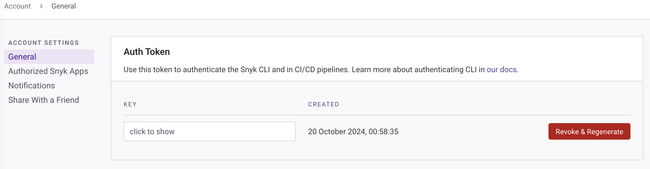
To generate a user API token, go to Account Settings > API Token in your Snyk profile.

Step 2
- Navigate to the connections page in DX and select “+ Connection” in the top right.
- Enter the credentials you have generated in the previous steps—refer to the information below for errors and troubleshooting.
API reference
The table below lists the specific API endpoints that are used by DX.
| Endpoint | Documentation |
|---|---|
| /orgs | link |
| /orgs/{id}/projects | link |
| /orgs/{id}/issues | link |
Errors
The table below lists potential error codes when adding a connection in DX.
| Error | Description |
|---|---|
invalid_credentials |
Your API credentials entered are not valid. |
invalid_permissions |
Your API token does not have the permissions required by DX. |